Updates #3 - March 2025

Happy spring, everyone 👋
The sun is shining, designs are blooming, and coding bees are buzzing. We have some colorful updates for you, so let's get busy!
In this issue:
- Quick icon guide: when to use which icon
- System icons: meet the new icon categories
- Development: the new tree view component
- Custom form-associated elements for Web
- Accessibility audit: getting ready for WCAG 2.2 AA
- UX Day: join the UX community in May
- Video library: tour the Design System and our tools
Friendly guide to choose the right icon
Did you ever feel unsure about which of our thousands of icons to use in your app? We've got good news for you: our short and easy guide can now help you find the best icon.
We started by looking at the most frequent use cases, but we're keen to find out if there are more scenarios and icons you'd like use to cover.
See the guide on the System icons page in the Volvo Experience System and share your feedback at icons@volvo.com
Redesigned hierarchy for System icons
As our System icons collection continues to grow, we explore ways to make it easier for you and our team to manage and use it.
After reviewing several options for the information architecture, grouping, and taxonomy, we defined a new classification: 12 categories and 36 subcategories, based on an icon's purpose and characteristics.
In the coming months, we'll use this structure to reorganize the entire System icons file.
Until then, check this new structure in the System icon families file and let us know your thoughts and suggestions.
New tree view component for Web
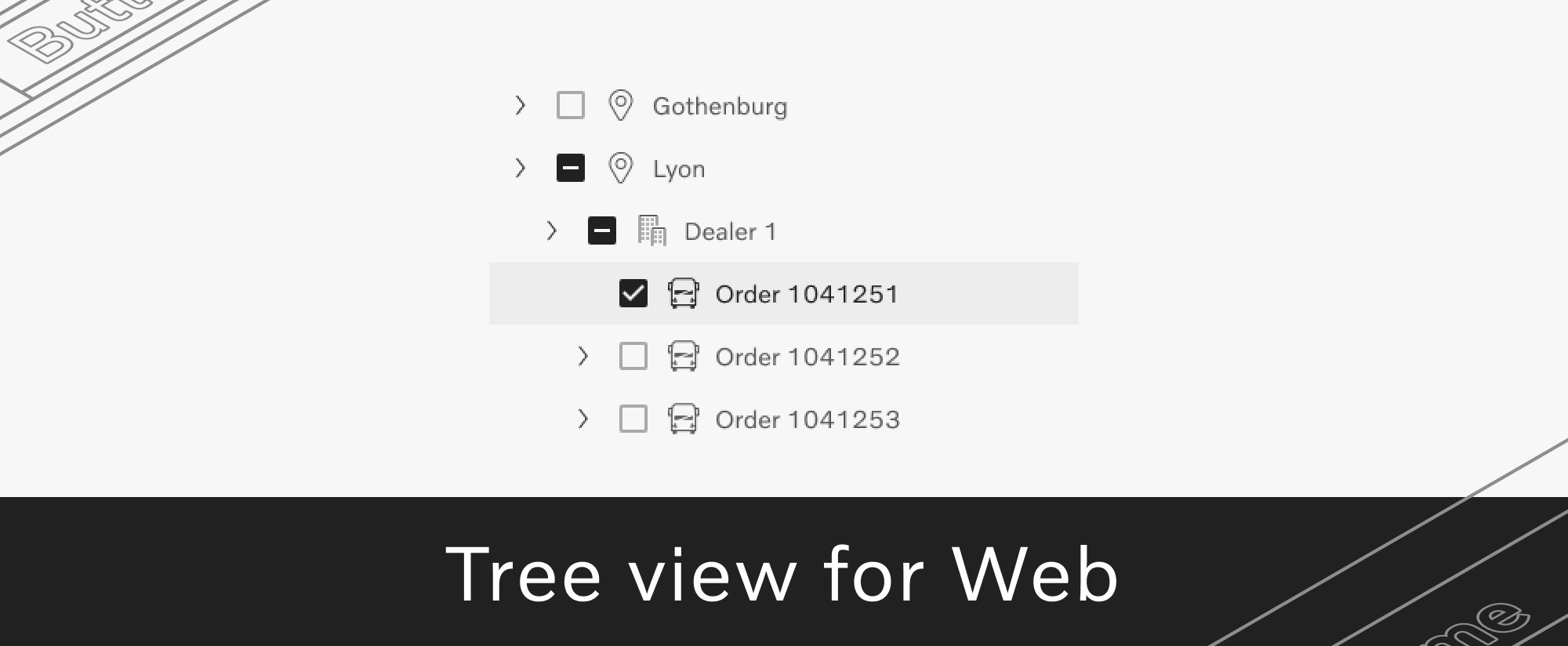
Tree view, one of our most requested components, is now available in the Development Kit for Web.
Tree view can be tailored to display lists in hierarchical order, organize navigation elements like menus, or enable users to make bulk and multi-item selections.
You can start using tree view for Web right away, with all our supported brand themes - Volvo, Mack, and Renault Trucks.
Custom form-associated elements for Web
We have one more wishlist item release: form-associated custom elements!
You can now easily use our components as native elements within a <form>, simplifying data handling for imperative and implicit submissions.
By applying the Accessibility Object Model internally, our components gain built-in accessibility features and compatibility with assistive technologies, resulting in a better overall user experience.
In-depth accessibility audit for WCAG 2.2 AA
We're currently auditing every component from our Development Kits against WCAG 2.2 AA standards, using automated and manual tests.
This will allow us to meet the Volvo Group Accessibility Directive requirements and provide the foundation for all Design System consumers to build towards 100% compliance in their own projects.
We'll also use the audit findings to update our guides on the Volvo Experience System website.
Want to learn about this journey and contribute? Join our Accessibility champions group!
Fresh edition of UX Day - May 21
Join UX specialists, supporters, and builders from all around Volvo Group for a full day of seeing, hearing, and discussing all things UX!
Register today to save your onsite seat (limited availability) or to join us remotely on May 21.
UX Day is an opportunity to connect and learn from each other. So while you're there, why not share your experiences and ideas? Submit your presentation idea by May 1 and make you voice heard.
P.S. Join the UX Day channel to learn more about the event and get all our updates.
Video tour of the Volvo Group Design System
If you're new here or unfamiliar with our Design System, getting started might feel tricky. We've all had questions like "What do I explore first?", "Where are the files I need?", or "How do I use the Design Kit?", so we're here to make it easier for you.
Take a few minutes from your day and watch our short video tutorials to find all the initial answers you need for a quick onboarding.
Got more questions? We love a curious mind, so get in touch with any of our team members on the VGDS Contact page.

Connect with us
We're here to support you. Reach out with your ideas, questions, or requests about component design, code and usage, icons, accessibility, or UX writing.
P.S. Like our newsletter? Invite others to subscribe 🫶
Contact
designkit@volvo.com
developmentkit@volvo.com
icons@volvo.com
uxwriting@volvo.com
Resources
Design Kit in Figma
Development Kit in Storybook
Volvo Group Design System site